@agogley and
@Jacyte are right. For all the speculation and deduction we all did, in the rear view mirror we can tell you it boils down to this.
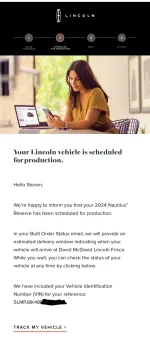
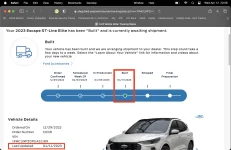
- Prior to getting the Production Scheduled email there is no visibility to your order. This was the hardest part for me because I had an order snafu and had no idea if my early order was still in place or it started over. Waiting was a bitch.
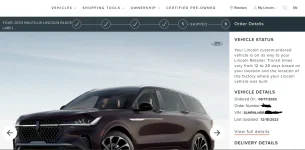
- After the Production Scheduled email, you can see the incremental steps of production up until it ships from the factory via Vehicle Order Tracking. If it works. Again, mine never has 'shipped'. Another helpful clue is when the status date updates again after it ships. This typically correlates to when the ship departed (or was boarded?). But for @TimCooper, this didn't seem to correlate.
- VinView is the best asset to use once it ships. It shows it's movement from the factory in Hangzhou to the port, across the ocean, onto the rail, and all the way to your dealer. The only alternative is assessing when your ship departed, correlating to a ship, and then tracking that via the many websites that offer basic ship tracking. I use MyShipTracking for location, but others for port activity.
I have to mention that when I spent all that time trying to figure out which ships could possibly be carrying our vehicles, I knew nothing of VinView and I had no idea it would offer such detailed location tracking. We weren't sure which ports would be used. We weren't even 100% sure they would be using RoRo ships. I was just looking for any ships that were leaving from a reasonable port on a direct or indirect path to Portland (which some dealers knew would be the import location). When
@7.62Kolectr showed us a VinView map, all that research was really tossed. We could easily identify ships and track them.
So while it looked like a sequel to
The DaVinci Code in the threads, it's really as straightforward as those three steps.