“Night” Display Background Bug - Sync Screen Not Changing to Night Mode

I have a bug on my 2020 Aviator where my chosen display background color will not show the correct choice after starting the car.

I have chosen the “tan” color, 4th option on the right, and set the mode to “Night”, which should then always default the background to the darker (essentially black) background.

However, almost every time I start the car, it displays the tan, non “Night” version color. Happens about 90% of the time… but sometimes it will boot up properly into the darker version.

I have noticed that if I put the car in reverse, after it is switched out of reverse and the backup camera goes away, the background color will then display the proper “Night” version.

This is clearly a bug. Has anyone else experienced this? Any fixes you have found other than going into reverse, or going into “Display” settings and pushing the “Night” button again? Any idea of how to get this on Lincoln’s radar to fix?

It’s annoying because I really prefer the look of the black background screen, (during day or night) and just wish it would display properly when I start the car.
I have a 2022 Aviator and my screen does not switch into night mode. I just selected a darker screen color because it was so bright that it hurt my ability see at night. If I touch the dash dimming switch the display wakes up and dims. I hope an update fixes it.
 
I have a 2022 Aviator and my screen does not switch into night mode. I just selected a darker screen color because it was so bright that it hurt my ability see at night. If I touch the dash dimming switch the display wakes up and dims. I hope an update fixes it.
Welcome to the Forum Dave. 👋
Don't hold your breath waiting for a fix. This has been going on for over 2 years now. I'll have to try the dimming switch thing since nothing else has worked so far.

Peter
 
I have a 2022 Aviator and my screen does not switch into night mode. I just selected a darker screen color because it was so bright that it hurt my ability see at night. If I touch the dash dimming switch the display wakes up and dims. I hope an update fixes it.

Hi Dave. My opinion here: It may be better to set up a service appointment, or have it looked at next time you have your vehicle in for an oil change/regular maintenance.

If it is a programming/code issue which can be fixed with an update, then the more owners who report it the better. And if it is an isolated issue which needs a module or other replacement, it can hopefully be diagnosed and repaired correctly.

Hopefully the more owners who report the problem, all the more scrutiny Lincoln/Ford will dedicate to solving it.

Again, just my opinion.

Keep us updated and good luck.
 
Hi Dave. My opinion here: It may be better to set up a service appointment, or have it looked at next time you have your vehicle in for an oil change/regular maintenance.

If it is a programming/code issue which can be fixed with an update, then the more owners who report it the better. And if it is an isolated issue which needs a module or other replacement, it can hopefully be diagnosed and repaired correctly.

Hopefully the more owners who report the problem, all the more scrutiny Lincoln/Ford will dedicate to solving it.

Again, just my opinion.

Keep us updated and good luck.
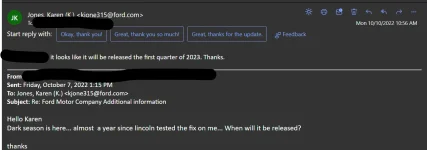
No, don't waste your time. The sync3 update to fix the dimming issue has not been released. Last I checked Lincoln/Ford said 1st quarter of 2023. I doubt it but we will see.
______________________________
 

Attachments

  • Screenshot 2022-11-15 141125.webp
    Screenshot 2022-11-15 141125.webp
    44.2 KB · Views: 5
I have a 2022 Aviator and my screen does not switch into night mode. I just selected a darker screen color because it was so bright that it hurt my ability see at night. If I touch the dash dimming switch the display wakes up and dims. I hope an update fixes it.
Hi Dave. I tried pressing the dash dimmer/brighter buttons and on both occasions the screen did go into 'night' mode. Finally, a workaround that works. Thank you. I also passed that info along to the Service Manager at my dealership since he asked me about the last time I was in for service.

Peter
 
Hi Everyone. I just purchased a previously owned (used) 2020 Corsair standard. I rely on the GPS alot. I find it very annoying that the GPS screen dies not gi into night mode automatically. It seems to have a mind of it's own deceiding when to go into nite mode. The solution I use is dimming the lights then bfinging them back to normal.. I really appreciate all the info you have on this issue. Hope there is a solution soon.
 
Hi Everyone. I just purchased a previously owned (used) 2020 Corsair standard. I rely on the GPS alot. I find it very annoying that the GPS screen dies not gi into night mode automatically. It seems to have a mind of it's own deceiding when to go into nite mode. The solution I use is dimming the lights then bfinging them back to normal.. I really appreciate all the info you have on this issue. Hope there is a solution soon.

Hi ross. If your 2020 Corsair is still within the 4 year/50,000 mile New Vehicle Warranty, make an appointment with the Service Department at your Lincoln Dealer. Either set up an appointment now, or have it looked at during your next routine maintenance visit.

The more owners who bring their vehicles in for a problem (as opposed to waiting for someone else to post about a solution), the more likely a solution will be found for that problem. Plus, there can be different causes for a similar problem, and thus, different solutions. So bringing it in for service and diagnosis is the best course of action for getting your problem addressed.

Also, if you will need a complementary Lincoln loaner vehicle, let them know when you call for the appointment. If you don't, it is possible, even likely, that there will be no complementary loaner vehicles available the day of your appointment.

Finally, if they can not find a solution, contact Lincoln Concierge.

Let us know how you make out and good luck.
 
Hi ross. If your 2020 Corsair is still within the 4 year/50,000 mile New Vehicle Warranty, make an appointment with the Service Department at your Lincoln Dealer. Either set up an appointment now, or have it looked at during your next routine maintenance visit.

The more owners who bring their vehicles in for a problem (as opposed to waiting for someone else to post about a solution), the more likely a solution will be found for that problem. Plus, there can be different causes for a similar problem, and thus, different solutions. So bringing it in for service and diagnosis is the best course of action for getting your problem addressed.

Also, if you will need a complementary Lincoln loaner vehicle, let them know when you call for the appointment. If you don't, it is possible, even likely, that there will be no complementary loaner vehicles available the day of your appointment.

Finally, if they can not find a solution, contact Lincoln Concierge.

Let us know how you make out and good luck.
thanks for the information
______________________________
 
Since this has been going on for the past 3 (20-22) years, I'm not holding my breath for any resolution any time soon. My service manager has been aware of the issue for at least 2 years. I'd be very surprised if Ford is even looking into this issue given the new Google Android system is just around the corner.

Peter
 
Since this has been going on for the past 3 (20-22) years, I'm not holding my breath for any resolution any time soon. My service manager has been aware of the issue for at least 2 years. I'd be very surprised if Ford is even looking into this issue given the new Google Android system is just around the corner.

Peter

Hi Peter. Then my next advice would be to contact Lincoln Concierge. Inform them (very politely) of the situation. Let them go through their required process, then ask for some sort of compensation for the time, trouble and uncorrected issues, in addtion to making it politely clear you would still like this issue bumped up the chain of command for resolution by Lincoln.

While I will not disclose on an open forum the extent of compensation I have received over the years for very minor issues (for mostly mere administrative goof-ups), I will state that it was quite significant.
In my experience at least, it all comes down to getting the right Lincoln Concierge representative (very important), being polite and explaining in an intelligent manner what the issue is, understanding they are a fellow human being who is not to blame for any issues (and making that clear to them), and then asking what they can do to help or compensate. Lincoln Concierge representatives have quite a bit of leeway...and discretion...as to what they can do and offer.

And if the first representative is not helpful, call back and try again. As with any profession...whether it be doctor, lawyer, baker or candlestick maker...there are some who are better at their job than others.

Give it a shot, if you haven't already.

And just to make it clear...I am not inferring you or anyone else would not be polite in the first place, it is simply what I tell everyone. I tend to believe that once we are rude to a customer service rep, it is often noted in our file records, and will follow us in future contacts with that company. ;)
Similar to the Seinfeld episode with the doctor noting things in the permanent records...lol

Let us know how you make out and good luck.
 
Last edited:
I don't know if this is a solution but I'd like to know if it works with other people. I went into the clock menu and disabled the change time zone auto change. Tonight my gps went into night mode with me not doing anything. Is this a fluke I don't know. Will it continue to work...not sure. I'll try tomorrow. But would be nice to here if ti works for others.
 
Ok ...after some time that didn't work. The sensor for the chande is in the middle of the dash. I covered it with a heavy cloth. The GPS after about 2 seconds went dark. I removed it and it went daytime. I covered it again and It only dimmed. I actually rubbed the sensor cover and it eventually whent dark. I did this several times with somewhat the same results. Could it be a batch of defective sensors since not everyone is having the same problem.
______________________________
 
Ok ...after some time that didn't work. The sensor for the chande is in the middle of the dash. I covered it with a heavy cloth. The GPS after about 2 seconds went dark. I removed it and it went daytime. I covered it again and It only dimmed. I actually rubbed the sensor cover and it eventually whent dark. I did this several times with somewhat the same results. Could it be a batch of defective sensors since not everyone is having the same problem.

Hi ross. Just as an FYI: You probably noticed that covering/uncovering the ambient light sensor does not immediately affect the brightness setting. It can take ~10 seconds for the light sensor to alter the brightness setting.

This is to keep the SYNC/NAV screen and other dash lighting from dimming and brightening every time we drive through/under short overpasses or tunnels, shadows etc.

Not saying this necessarily applies to your issue, but it is a good thing to know.

Keep us updated and good luck.
 
Ok ...after some time that didn't work. The sensor for the chande is in the middle of the dash. I covered it with a heavy cloth. The GPS after about 2 seconds went dark. I removed it and it went daytime. I covered it again and It only dimmed. I actually rubbed the sensor cover and it eventually whent dark. I did this several times with somewhat the same results. Could it be a batch of defective sensors since not everyone is having the same problem.
I don't believe it is that ambient light sensor in the middle of the dash that is the problem. If it was, your auto lights wouldn't work either. I don't know what the issue is but suspect it is software related. So far what I posted in post #65 has worked for me when the issue occurs.

Peter
 
I have similar issue. ...(June 2022 purchase date ) ... But it is intermittent,. I alwyas use Auto. ...with nothing elese checked. Sometimes I get night screen when it is day time outside my garage. Sometimes I get day screen when I get into car when parked out under stars. Most of the time it works OK...But when it screws up, it is maddening. Not so easy to drive off into the night with your screen in day mode and blinding you. You have to pull over and ago into screen menu and reset. ...a pain. Usually playing with dimmer control below Tach will reset it on the fly..but not always. This is definitely a problem.
 
I have similar issue. ...(June 2022 purchase date ) ... But it is intermittent,. I alwyas use Auto. ...with nothing elese checked. Sometimes I get night screen when it is day time outside my garage. Sometimes I get day screen when I get into car when parked out under stars. Most of the time it works OK...But when it screws up, it is maddening. Not so easy to drive off into the night with your screen in day mode and blinding you. You have to pull over and ago into screen menu and reset. ...a pain. Usually playing with dimmer control below Tach will reset it on the fly..but not always. This is definitely a problem.

I've come to the conclusion that this thing has a mind of it's own
______________________________
 
I have mine set to night mode. Occasionally after car has been parked for a short time (trip into the store) it want's to start display in daytime mode when I restart the car. I found the quickest way to reset back to night is to hit one of the dimmer buttons on the dash left side of the steering wheel. Agreed that shouldn't happen, but this method changes the screen to night mode instantly.
 
Is anyone who has updated to V3.4 22251 still having this issue? I read that the update supposedly fixed it. I didn't have the problem the other night but then it was acting properly a couple of weeks before I did the latest update so I just thought I'd ask here.

Peter
 
I've had that issue with my 2021 F150 and they eventually replaced the APIM. So far so good.
No problem with the 2023 Aviator yet.
 
Strange things....my nite mode started working many months ago..I was happy. I brought my 2020 corsair in for oil change and a problem with leaky struts and an unbalanced drive shaft. After picking up the SUV nite mode stopprd working again....what is going on?
 
Back
Top